
Own product 02 · AI workflows
DataBraid
Visual workflows for LLM-powered analysis.
Connect files, APIs and external services, then use LLMs to summarize, compare, classify and enrich data in a workflow your team can actually read and maintain.
- Technology
- LLMs · Retrieval · MCP
- Outputs
- Webhooks and integrations
- Access
- Beta
- Web
- databraid.eu →
Problem
Teams need more than prompt experiments.
Many AI projects break down not because the model is weak, but because the surrounding workflow is implicit, scattered and hard to maintain. DataBraid is built for teams that need more than prompt experiments.
- 01 Too many moving parts: prompts, scripts, retrieval, APIs and outputs stitched across tools, with little visibility into how the workflow works.
- 02 One-off prompt engineering: useful analysis depends on context, documents, external tools and repeatable steps. A chat box alone is rarely enough.
- 03 Hard-to-maintain automations: when pipelines live in code only a few people understand, iteration slows down and operational handoffs become fragile.
How the pieces fit
A braid is useful when the workflow is explicit from input to output.
-
01
Input and sources
Text, files, documents and connectors enter the braid as explicit inputs instead of hidden pre-processing.
-
02
Processing and analysis
Nodes transform content, invoke models, structure results and prepare the output the workflow is supposed to produce.
-
03
Knowledge and external tools
Retrieval and MCP-style tools bring evidence and specialized capabilities into the run when the task requires them.
-
04
Outputs and webhook execution
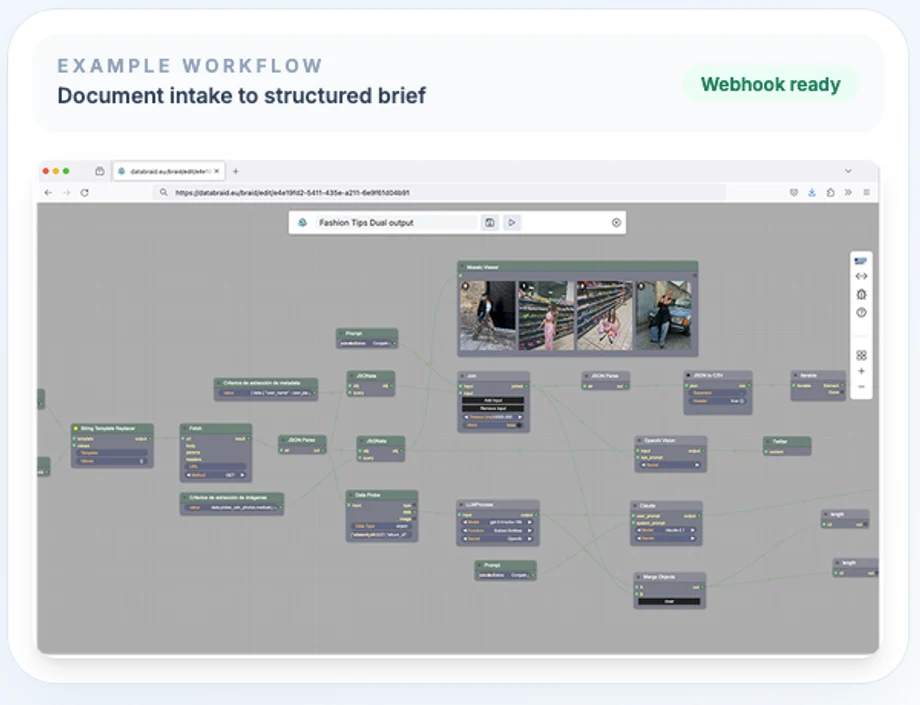
The same braid used for design can later be called through webhooks or attached to other systems once validated.
Features
A visual studio for workflows that need real structure.
-
01
Visual braid design
Model the workflow explicitly: inputs, sources, transformations, LLM steps, outputs and operational entrypoints all live in the same canvas.
-
02
Sources and document ingestion
Pull in files, documents and external data sources so the workflow starts from the information your team actually uses.
-
03
LLM analysis and generation
Use models to summarize, compare, classify, extract and generate structured outputs instead of relying on a single prompt box.
-
04
Knowledge and retrieval
Ground runs with knowledge bases and retrieval so analysis can work with curated context, not only the model's prior knowledge.
-
05
Third-party tools and MCP
Extend braids with external tools and MCP servers when the workflow needs capabilities beyond the model itself.
-
06
Webhook-ready outputs
Test flows manually while designing them, then expose them operationally through outputs and webhook-driven execution.
Use cases
Useful outputs, not generic AI demos.
-
01
Document analysis
Turn files and notes into structured briefs, findings, risks and next actions.
-
02
Research synthesis
Combine web search, external tools and LLM reasoning into repeatable research workflows.
-
03
Knowledge-grounded Q&A
Use retrieval over curated knowledge so answers can work with real context instead of generic model output.
-
04
Automation behind webhooks
Design the flow visually, then trigger it from other systems once the logic is stable.
Why it exists
A more explicit way to work with AI workflows.
- Origin
- It grows out of our work on NLP, conversational systems and production-grade language workflows rather than generic AI marketing.
- Orchestration
- Useful LLM systems need more than prompts: sources, context, tools, structure and a workflow that can be maintained.
- Clarity
- Making complex logic visible: the value of a braid is that a team can inspect and improve it together.
- Operational
- The editor is meant for design and validation, but the outcome is meant to live in real systems through webhook calls and connected workflows.